

Ordering a custom computer can be exciting, but it is also easy to focus on the biggest numbers on the specification sheet and overlook details that matter just as much.
A powerful processor or graphics card will not automatically make a well-designed PC. The motherboard, memory, storage, power supply, cooling and case all need to suit the intended workload and work together properly.
For people comparing pc builders Sydney, asking the right questions before paying can make the decision much easier. It can also help you understand exactly what you are buying, what can be upgraded later and what support is available if something goes wrong.
The goal is not to ask dozens of technical questions for the sake of it. It is to get enough clear information to know that the proposed computer fits your needs and budget.
Will you receive the full brand and model details?
A custom PC quote should give you enough information to understand what is actually going into the computer.
It is useful to know the exact processor and graphics card, but do not stop there. Ask about the motherboard, RAM, SSD, power supply, CPU cooler and case as well.
Descriptions such as “1TB SSD”, “32GB RAM” or “750W power supply” tell only part of the story.
Two components with the same capacity or wattage can offer different features, performance characteristics, warranties and upgrade options.
The motherboard is particularly important because it affects processor support, memory, storage connections, expansion and future upgrade choices.
The power supply also deserves attention. It needs to suit the components in the system rather than simply having a large wattage number.
If the builder cannot tell you which computer parts are included before you order, ask why.
A clear parts list makes it easier to compare quotes from different builders and understand where your money is going.
Are those parts suited to the way you will use the PC?
A good specification should start with your workload.
Someone who mainly browses the web, uses Microsoft Office and attends video meetings does not need the same system as someone editing large video projects or playing demanding games at high resolutions.
Tell the builder what you actually plan to do.
If gaming is important, mention the games you play, the resolution of your monitor and the type of performance you expect.
For work, name the applications you regularly use. Video editing, 3D design, development, accounting and general office software can place very different demands on a computer.
This information helps a builder decide where the budget should go.
For example, putting more money into the graphics card may make sense for some gaming or creative workloads. Another user may benefit more from additional memory, processor performance or storage.
The best custom computer is not necessarily the one with the most expensive parts. It is the one where the parts make sense together for the intended job.
Find Out How the Builder Checks Compatibility
Compatibility should be checked before the computer is assembled, not discovered during the build.
The processor needs a suitable motherboard. The motherboard needs to support the selected memory. The graphics card needs enough physical space inside the case, and the power supply needs to support the complete system.
Cooling also creates compatibility questions.
A large air cooler may be too tall for a particular case. A liquid cooler needs appropriate radiator mounting space. Tall memory modules can sometimes affect cooler clearance.
Storage should be checked as well. A motherboard may have several M.2 slots, but their capabilities and how they share platform resources can vary by board.
You do not need to understand every technical detail yourself.
What matters is that the builder can explain how compatibility has been checked and identify any limitations that affect your planned configuration.
If you are shopping for computer parts sydney before speaking with a builder, resist the temptation to buy discounted components independently unless you are confident they fit the rest of the planned system.
A cheap part becomes an expensive purchase when it forces you to replace another component.
Will the system leave sensible room for future upgrades?
Ask what can realistically be upgraded later.
For memory, find out how many RAM slots the motherboard has and how many will be occupied when the PC is delivered.
For storage, ask whether additional SSD connections remain available.
If gaming is important, ask whether the power supply and case would accommodate a reasonable graphics card upgrade in the future.
You should also understand the motherboard platform. Changing to a different processor generation later may sometimes require more than replacing the CPU.
Good upgrade planning does not mean buying the largest case, most expensive motherboard and biggest power supply available.
That can turn sensible planning into unnecessary spending.
Instead, think about upgrades you could realistically make within the expected life of the computer.
If you believe you may add another SSD next year, leaving an appropriate storage connection available makes sense.
If you have no intention of installing multiple graphics cards, several expansion devices or a large cooling system, paying for capacity you will never use may offer little value.
Ask the builder to explain the practical upgrade path, not simply tell you that the computer is “future proof”.
Ask About Cooling Assembly and System Testing
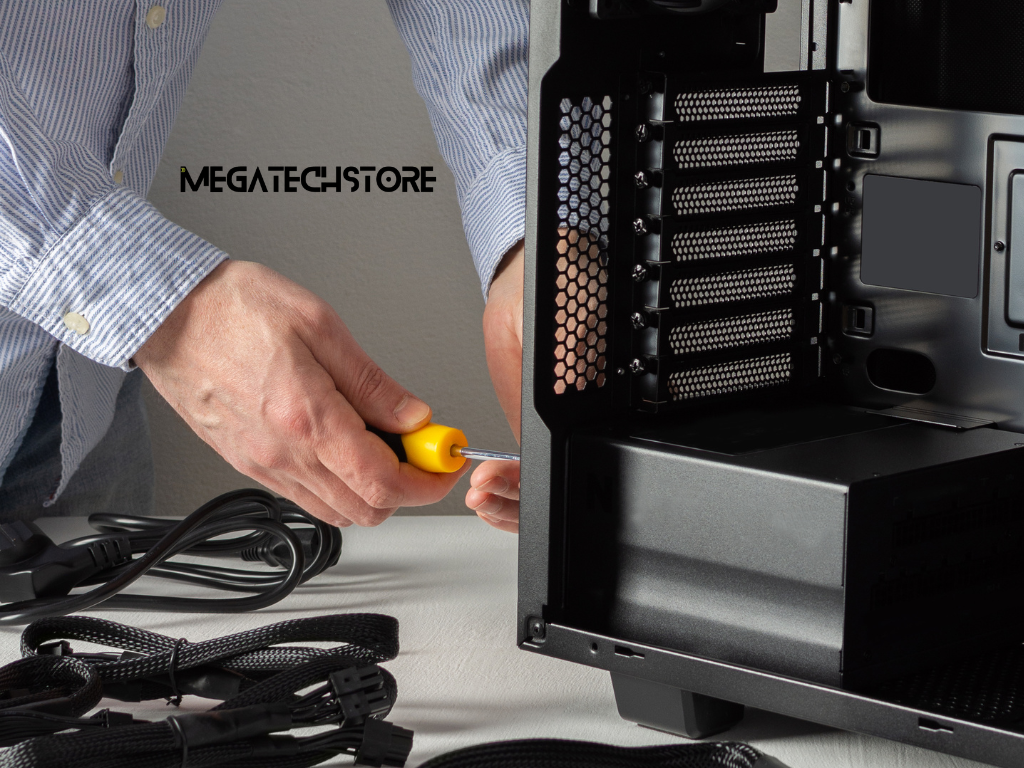
What cooling setup does the computer actually need?
Cooling should match the hardware and workload.
A lower-power everyday system may be perfectly suited to a straightforward air cooler. A higher-performance processor running sustained workloads may benefit from a larger cooling solution.
Case airflow matters too.
The components generate heat inside the enclosure, so the case and fan arrangement need to allow that heat to leave efficiently.
When reviewing a quote, ask why a particular cooler has been chosen.
You should be able to understand whether it is there because the processor needs it, because lower noise is a priority, or because it suits the available case space.
Avoid assuming that liquid cooling is automatically better simply because it looks more advanced.
Likewise, a basic cooler should not automatically be accepted for every processor and workload.
The right choice depends on the complete system.
This conversation can also help you avoid paying for decorative cooling hardware when your budget would provide more value elsewhere.
What happens before the PC is ready for collection or delivery?
Assembly is only part of building a computer.
Ask how the completed system is checked before it is handed over.
The builder should be able to explain its own testing process in plain language.
Useful questions include whether the system is checked for successful startup, whether memory is recognised correctly, whether storage and connected hardware are detected and whether temperatures are reviewed under load.
You can also ask whether current drivers and required system updates are installed as part of the setup.
The aim is not to demand a particular testing procedure that you found on a forum.
It is to understand whether the builder has a repeatable process for checking that the computer operates as expected before you receive it.
This is especially useful with higher-value custom PCs, where troubleshooting an assembly problem at home can quickly become frustrating.
Understand the Real Price Before You Commit
A quote can look inexpensive until additional services are added.
Ask whether the price includes assembly, the operating system, setup, Wi-Fi or Bluetooth hardware if required, additional cooling fans, delivery and any other services you expect.
If Windows is included, confirm which edition and licence arrangement applies to the system.
If you already own some compatible parts, ask whether the builder is willing to incorporate them and whether doing so affects the service or warranty arrangements.
You should also know whether the quote is based on components currently in stock.
A substitute component may change the specification, price or upgrade options.
If something needs to be changed before assembly, ask the builder to discuss the replacement with you rather than assuming that any product with similar headline specifications is equivalent.
This is one area where comparing sydney computer parts can be useful.
Knowing the approximate retail value of major components can help you understand the difference between the hardware cost and what you are paying for assembly, configuration and service.
Do not expect a professional custom build to cost exactly the same as a pile of individual parts.
The service itself has value. You simply need to understand what is included.
How does the quote compare with a ready-made system?
A custom PC is not automatically the right choice for every buyer.
Compare the proposed system with a similar pre build pc.
A ready-made system can be practical when it already offers the performance, storage and features you need at an acceptable price.
A custom build becomes more attractive when you want greater control over components, cooling, appearance, storage, noise or future upgrades.
Look beyond the CPU and graphics card when making the comparison.
A prebuilt system may have the same headline processor and GPU but use a different motherboard, power supply, memory configuration or case.
Likewise, an expensive custom system may include premium components that provide little benefit for your workload.
The comparison should therefore be based on the complete system and the support that comes with it.
Some buyers may discover that they do not need a full desktop at all.
A mini pc can be suitable where desk space is limited and extensive internal upgrades are not a priority.
At the other extreme, someone imagining a large mega computer with extensive storage, high-end graphics and substantial expansion should make sure those requirements are genuine before paying for them.
Choose the format around what you need the computer to do.
Check Warranty Repairs and After-Sales Support
Who should you contact if a component fails?
Ask how warranty issues are handled before placing the order.
If the PC develops a fault, you should know whether the builder asks you to return the complete system, bring it into the store or follow another process.
You should also understand whether individual component warranties are managed through the builder or whether there are circumstances where you will deal with a manufacturer.
For Australian buyers, a voluntary warranty is not the only consideration.
The ACCC explains that warranties offered by businesses are additional to consumer guarantees under Australian Consumer Law. Those automatic guarantees can apply independently of the wording or duration of a voluntary warranty.
This is why warranty information should be explained accurately rather than presented as the limit of every consumer right.
Keep your invoice and order details after purchase.
It can also be useful to retain the final parts list so you know exactly which components were supplied.
What support is available after the sale?
A good purchasing experience does not necessarily end when you collect the computer.
Ask what happens if you have a setup question, want to add storage later or experience an issue that you cannot diagnose.
The amount of support you need will depend on your experience.
An enthusiast who regularly builds computers may need very little assistance. Someone buying their first gaming or workstation PC may value a seller who can explain upgrades and troubleshooting in plain English.
This is worth considering when choosing a tech store.
Do not assume that every problem will be handled free of charge indefinitely. Ask what support is included with the original purchase and what would be treated as a separate repair or upgrade service.
Clear expectations help both sides.
Compare PC Builders in Sydney on More Than Price
This is where comparing pc builders Sydney becomes more than a price exercise.
A useful builder should be able to explain why a configuration suits your needs.
If one quote is significantly more expensive than another, find out what is different.
The higher price may include a better graphics card, stronger power supply, more storage, improved cooling or other components that genuinely matter.
It may also include features that you do not need.
Likewise, a very low price deserves a closer look at the supporting components and service arrangements.
Pay attention to how the business communicates.
Are the parts clearly identified? Are your questions answered in understandable language? Does the builder discuss trade-offs, or does every conversation lead to a more expensive option?
A buyer should feel that the recommendation reflects their workload and budget rather than simply the highest specification available.
Choose a supplier that fits how you want to buy
Local access can be useful when you want to discuss a build, purchase computer parts or have a clear point of contact after the sale.
Mega Tech Store currently describes itself as Sydney-based and lists mini PCs, pre-built computers, PC computer parts and custom PC options.
For someone considering Mega Tech Store or another Sydney supplier, use the same comparison process.
Explain what the computer will be used for, what you want to spend and whether future upgrades matter.
Then ask for enough detail to compare the proposed configuration with alternatives.
Do not choose a supplier simply because it stocks the processor or graphics card you want.
Consider component transparency, communication, warranty information, support and whether the recommended system actually fits your requirements.
That produces a more useful comparison than choosing a shop solely by the lowest advertised price.
Know When to Contact a PC Builder Before Ordering

Ask for advice when your requirements are specific
There is little reason to struggle through compatibility research alone if your intended setup is complicated.
Speak with a builder when you need the PC to run particular professional software, support several monitors, accommodate large amounts of storage or handle a specialised gaming, streaming or development setup.
Be specific when you ask.
Instead of saying that you need a “powerful PC”, explain the applications you use and the performance problems you are trying to avoid.
If you already own hardware that you want to reuse, provide the exact model information.
A builder cannot reliably confirm whether an existing power supply, graphics card, memory kit or storage device can be reused based on a vague description.
The more accurate your information is, the more useful the recommendation can be.
This is also a sensible time to discuss your budget openly.
A clear spending range helps the builder prioritise components instead of creating a configuration that exceeds what you actually want to spend.
Clarify anything uncertain before you pay
The best time to resolve a specification problem is before the order is placed.
Contact the builder if you do not understand a component description, if a quoted part has changed or if you are unsure whether an important feature is included.
Ask before ordering if you need Wi-Fi, Bluetooth, a particular number of monitor connections, additional storage, a specific case size or room for future upgrades.
You should also ask when delivery or collection timing matters.
Do not assume that every computer parts sydney listing represents stock that is immediately available for a custom build.
The same applies if you are comparing a custom system with a prebuilt or compact alternative.
A short conversation may reveal that a less complicated computer meets your needs just as well.
Ultimately, choosing a custom PC is not about assembling the longest possible list of premium components.
It is about building a balanced system that suits your workload, budget and plans for the next few years.
Ask which parts are being used. Ask how compatibility is checked. Understand the cooling, testing, warranty and support process. Then compare the complete package rather than the headline price.
Those questions give you a much better basis for choosing a PC builder and can help prevent expensive surprises after the computer arrives.
